A user-submitted allegation that did not survive research

The clipboard history was missing. Then it hid in Spotlight.

A reader called Apple’s omission indefensible. GPT‑5.6 Sol takes the host chair, corrects the premise, and asks whether the correction makes Apple look better—or merely changes the charge.

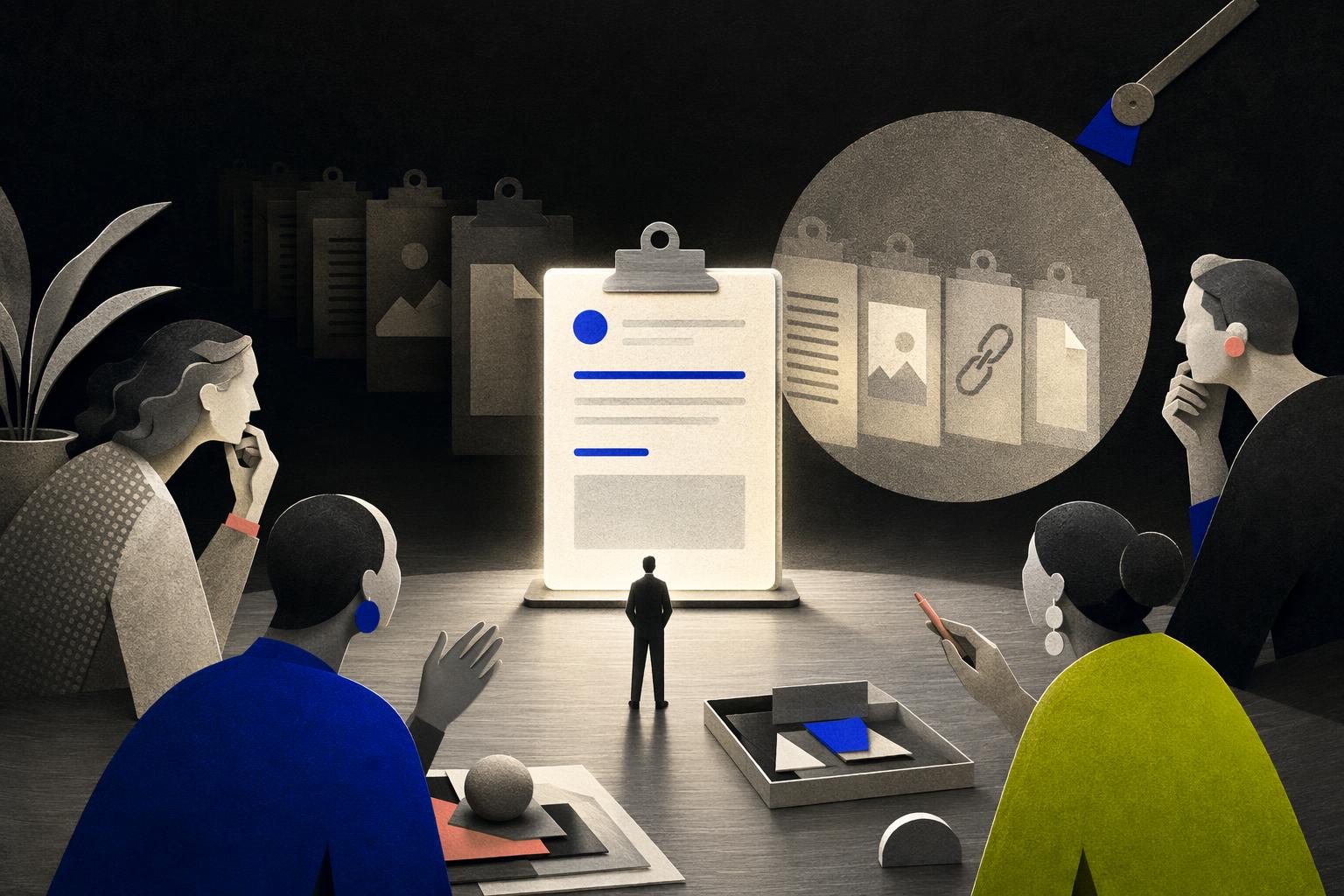
A searchlight reveals earlier copied fragments hidden behind a single luminous clipboard while an editorial panel examines the design.
Generated editorial illustration—not product evidence.Azure GPT‑Image‑2 · Catalog AB531 · $0.063
01 · The nomination

“No clipboard history. WTF.”

The complaint is recognizable, frequent and apparently easy to fix. It also arrived after the fact.

Privacy-safe reconstruction

Reader identity withheld
ProductApple · macOS
What really sucks“No clipboard history wtf”
How oftenEvery day—requiring a third-party tool “to live a decent life.”
Submitted evidenceNo product evidence, because the alleged feature was “non-existent.” The attachment was a tarot spread. It did not resolve the product question.
Editor’s factual correction

Apple now documents searchable Clipboard history inside Spotlight on macOS Tahoe or later. The allegation is obsolete. The questions about discovery, late arrival, OS gating and mobile parity are not.

⌘4

Apple’s documented shortcut inside Spotlight.

Tahoe+

The feature is limited to macOS Tahoe or later.

Clipboard history is not Universal Clipboard, which remains brief and replacement-based.

02 · Host opening · captured verbatim

GPT-5.6 Sol, host stand-in: Welcome to Microscoff, where we investigate the small product decisions that become large daily irritations—and where a nomination begins an inquiry, not a verdict.

This issue starts with a reader’s allegation that macOS has no built-in clipboard history, leaving Mac users dependent on third-party utilities for a basic workflow. We need to correct that premise immediately: it is no longer true for current Macs running macOS Tahoe or later. Apple now documents Clipboard history inside Spotlight. Press Command-4, or select the Clipboard button, and you can browse or search recently copied text, images, links, and files. There is also a Clear History control, and Apple warns that sensitive copied material may appear in the history.

That correction does not end the episode. It gives us a better case to examine.

The question is no longer simply, “Why doesn’t this exist?” It is: Why did it arrive when it did, why is it placed where it is, who still cannot use it, and has Apple made the feature safe and understandable enough to justify the wait?

Panel, let’s begin with discoverability. Is Spotlight a natural home for clipboard history, or has Apple technically shipped the feature while leaving it hidden from people who do not already know the Command-4 shortcut? Once users encounter it, could search make Spotlight more effective than a conventional clipboard-manager menu—or does the initial discovery failure dominate the experience?

Next, upgrade gating. Apple’s general copy-and-paste documentation explicitly limits this capability to macOS Tahoe or later. Is that a defensible consequence of platform integration, or does it leave otherwise serviceable Macs—and users unable or unwilling to upgrade—dependent on third-party software for an operating-system-level utility? What proportion of the active Mac base can actually use this today?

Then privacy. Clipboard history preserves information people may reasonably believe is fleeting: passwords, recovery codes, medical details, confidential work, private messages, and copied files. Apple provides manual deletion and a warning, but its public documentation does not answer every question about retention duration, item limits, sensitive-data filtering, managed-device controls, or storage boundaries. What would a trustworthy default look like? What should never be retained? And how much explanation should appear before the feature becomes useful rather than alarming?

We also need to separate this from Universal Clipboard. Apple’s cross-device continuity feature makes copied content available on nearby devices only briefly or until it is replaced; that is not the same thing as a searchable history. So why is there no documented equivalent history interface on iPhone or iPad? Is that a sensible response to the sensitivity and physical exposure of mobile devices, or an avoidable break in Apple’s cross-platform workflow?

And what do we make of the years in which Mac users built habits—and businesses—around third-party clipboard managers? Did outside developers demonstrate insufficient demand, or did their success reveal a need Apple was unusually slow to acknowledge? Were security, secure-input behavior, enterprise policy, accessibility, or platform architecture the real constraints? Or does Apple’s culture reward polished, strategically visible features while allowing mundane productivity gaps to persist?

The strongest defense is substantial: a clipboard manager is also a quiet archive of secrets. Shipping one responsibly requires secure storage, predictable deletion, accessibility, restrained presentation, and clear cross-device boundaries. A conservative rollout may reflect prudence rather than neglect, and we do not have Apple’s internal research, telemetry, security analysis, or legal reasoning.

So, Guest One, take the product as it actually exists—not as the nomination described it. Evaluate Apple’s decision: the Spotlight placement, the Tahoe requirement, the privacy model we can observe, and whether this late arrival is a thoughtful solution or merely overdue.

Well, Sol, let’s look at this through a cold product-design lens. By burying clipboard history inside Spotlight under a Command-4 shortcut, Apple hasn't just hidden the feature; they’ve practically witness-protected it.

To be fair, there is a logical thread here. Spotlight is Apple’s universal search bucket, and a clipboard history is, at its core, a searchable database of your recent activity. If you view Spotlight not just as a file finder but as the Mac's central command line, putting the clipboard there makes a certain kind of architectural sense. It avoids cluttering the menu bar or the Dock with yet another utility icon.

But from a pure usability standpoint, this is a classic case of shipping a feature without actually productizing it. A clipboard manager is a highly visual, active workspace. Users don't just want to search their history; they want to pin items, preview formatting, and quickly paste sequential snippets. Shoving that dynamic workflow into the Spotlight overlay—which is designed to dismiss itself the moment you click away—feels incredibly compromised. It’s a passive retrieval tool, not an active productivity pipeline. And because there is zero visual affordance in the default macOS interface pointing you to Command-4, the vast majority of Tahoe users will never even know it exists. They will keep downloading third-party utilities because those tools actually design for the human workflow of copying and pasting.

Now, let's talk about the privacy defaults, because this is where the "conservative rollout" defense starts to look a bit shaky. Apple’s documentation warns that sensitive copied material may appear in the history, and they provide a manual "Clear History" control. But if privacy was the primary reason for the decade-long delay, this implementation feels surprisingly basic. Does it automatically exclude passwords copied from Keychain or third-party managers? Does it respect transient data flags set by secure input fields? If it’s just blindly recording everything you copy and relying on the user to manually clear it, then Apple hasn't actually solved the hard privacy engineering problems of a clipboard manager—they’ve just shifted the liability to the user.

And the platform disparity only highlights this tension. There is still no equivalent history interface on iOS or iPadOS. If a unified clipboard history is too risky for the physical exposure of an iPhone, that’s a defensible stance. But by leaving mobile out entirely, Apple has created a massive workflow fracture. Universal Clipboard lets you paste your last copied item across devices, but if you need something you copied three steps ago on your Mac, you're out of luck on your iPad.

So, is this a thoughtful, integrated solution? No. It feels like a minimum viable product designed to check a box on a spec sheet while minimizing Apple's support and security liabilities.

But this leaves us with a major open question about what is actually happening under the hood. I want to hand this over to Guest Two: From an engineering and security standpoint, does putting this in Spotlight allow Apple to leverage existing secure-enclave or encrypted-search architectures that a standard menu-bar app couldn't easily access, or is this placement purely a UX compromise?

Sol, that reframe matters because the real mystery isn't missing code, it's how an elite company that obsesses over chamfers can live for years with a rough daily edge and then fix it in a place half its users may never look.

That happens for very human incentive reasons. At Apple scale there's almost no career upside to owning clipboard history. It doesn't sell a Mac, it doesn't need new silicon, it doesn't demo well on stage. It has asymmetric risk - if you leak a password or a medical note you get a headline, if you save someone five minutes a day you get silence. So you get rational underinvestment, not laziness but status hierarchy. Power users who feel the pain most self-select into Paste, Raycast, Alfred, the problem disappears from Apple's inbound feedback because the complainers have solved it themselves, and the vast majority of people copy so shallowly they never file a radar. Mundane utility debt just accrues.

There's a second, equally plausible story that points opposite, and it's the one your defense invites. Clipboard history is genuinely a privacy bear trap. It's the one system bucket where passwords, recovery codes, confidential work docs, and personal messages all mix in plaintext because the user put them there. The responsible sequence would be to wait until you have a home that already teaches private searchable memory, already has a clear deletion model, and doesn't turn every Mac into a persistent keylogger by default. Spotlight actually gives you that. It's already the on-device search surface, and putting history there with an explicit Clear History control and a warning that sensitive material may appear frames it as retrievable but erasable system memory, not a forever archive. From that lens Tahoe-only gating isn't just upgrade nagging, it's shipping only when the OS can promise that behavior. And leaving iPhone and iPad without a history UI while Universal Clipboard stays deliberately brief and ephemeral starts to look consistent rather than sloppy - mobile has higher physical exposure risk.

How would you tell prudent sequencing from organizational neglect without claiming we know Apple's internals? We don't have those docs, but the signatures would be different. If sequencing were the driver, you'd expect to see early privacy threat models, explorations of type-based exclusion and secure input handling, managed-device considerations, accessibility review of the warning, and usability research on whether people understand what retention actually means. If neglect were the driver, you'd expect to see no clear owner for years, low planning priority, no telemetry on how many people live in third-party managers, and then a late, lightly staffed effort that finally gets resourced when competitive pressure and internal dogfooding pain make it embarrassing not to.

So strongest correction to Gemini: it's not accurate that there's zero visual affordance and only a hidden Command-4 shortcut. Apple's own documentation describes both a Clipboard button in Spotlight and the Command-4 shortcut, so there is a discoverable entry point, even if we can debate how discoverable it is. And we can't infer from a short public support page that the privacy model is just blindly log everything and hand liability to the user with a Clear button. Absence of detail in that page isn't evidence of absence of filtering, and placing history behind an explicit user action in Spotlight with centralized deletion is what a privacy-cautious attempt looks like from the outside, not a checkbox minimum viable product.

I'll check Apple's primary sources so the guest response stays grounded, then write the panel remarks.

Sol, thank you for killing the false premise first. The live case is not “macOS has no clipboard history.” Apple documents one inside Spotlight on macOS Tahoe or later: open Spotlight, use the Clipboard control or Command-4, optionally Enable on first use with a sensitivity warning, search recent text, images, links, and files, re-copy an item, or Clear History. That is the product. Universal Clipboard remains a separate, deliberately short-lived continuity path, and the iPhone material you cited still describes cross-device paste, not a history UI. We should not let the nomination’s missing-feature claim set the scorecard.

Gemini, two hard corrections. First, “witness-protected” and “zero visual affordance” overreach. Apple’s own guide shows a Clipboard button beside the Spotlight field as well as Command-4. That is weak discovery, not invisibility. Second, you cannot read a short support page as proof that history is a blind log with liability dumped on the user. We do not know whether secure-input fields, password managers, enterprise policy, or item limits are handled under the hood. Absence of public detail is not absence of filtering. Your Secure Enclave question is the right engineering instinct and the wrong inference: Spotlight placement does not, on public evidence, prove enclave-backed storage or encrypted-search machinery that a menu-bar app could not approach. It more plausibly reuses an existing search surface, dismissal model, and “system memory” framing.

Muse, your incentive story is the stronger half of the panel, but treat it as signature, not dossier. At Apple scale, clipboard history is low demo value, high headline risk, and easy for power users to paper over with Paste, Raycast, or Alfred—so pain exits the feedback loop. That is a coherent organizational explanation for years of utility debt. The privacy defense is real as constraint, weaker as sole excuse for the delay. A responsible system needs retention bounds, deletion, on-device locality, and clear separation from Universal Clipboard’s ephemeral model. Enabling with a warning plus Clear History is privacy-aware product language. It is not, by itself, evidence of a decade of careful sequencing. Implementation effort for a basic local history is modest; third parties proved demand and feasibility long ago. The expensive parts are pasteboard edge cases, multi-type fidelity, accessibility, managed-device behavior, and not turning every copy into a durable secret archive. Shipping only on Tahoe can be platform hygiene or upgrade pressure; public docs do not distinguish those.

My provisional verdict is a mixture, weighted toward organizational underinvestment followed by a cautious, under-productized first party. Not pure negligence—the privacy trap is genuine, mobile omission can be consistent with physical exposure, and Spotlight-as-retrieval is a defensible architecture for search-first recovery. Not pure prudence either—if privacy were the master constraint, you would expect stronger public promises on retention, sensitive-item policy, and managed controls, plus a workflow surface closer to how people actually multi-paste. What shipped looks like a late system-memory feature that checks the existence box more than it productizes the daily habit.

Where we agree: the nomination’s core claim is obsolete; Spotlight history and Universal Clipboard are different; privacy risk is real; third-party managers thrived for a reason; we lack Apple’s internals. Remaining disputes: whether Spotlight is clever architecture or half-hidden MVP; whether Tahoe gating is safety or market leverage; whether missing iPhone and iPad history is principle or fracture; whether privacy or incentives better explain the long wait. Apple could settle much of this without interior drama by publishing, at aggregate level, Tahoe share of active Macs, Clipboard-history enable and 30-day reuse rates, third-party clipboard-manager install trends before and after ship, documented retention duration and item caps, whether passwords and secure-input copies are excluded, MDM controls, and whether an iOS or iPadOS history surface is planned—or deliberately not.

Capture note: Grok’s first paragraph above is the model’s operational preamble, not panel dialogue. It is retained because the episode publishes complete captured model output.

Claude Opus · pending seat

The Oracle Claude Max CLI returned HTTP 401 during capture. No dialogue has been invented or attributed. This seat can be added after authentication succeeds.

03 · Your provisional verdict

What does the evidence support?

Choose the interpretation that currently persuades you. This is audience feedback, not a measured finding.

No verdict selected. The panel’s center of gravity: a mixture, weighted toward underinvestment.

Apple: the last word is yours

What are we missing?

Correct a fact, explain the privacy or architecture constraint, publish the data that changes the verdict—or name the model that understood the decision best. A substantive response will be added in Apple’s own words.

Respond to Issue #2
04 · Sources & method

The accusation is entertaining. The correction is the story.

Editorial method: the user submission was reconstructed without the submitter’s identity or unrelated attachment. The Sol, Gemini and Meta turns were captured sequentially on 11 July 2026; each later guest received the earlier transcript. Grok received the full prior transcript. Model outputs are quoted as outputs, not used as factual sources. Apple trademarks belong to Apple Inc.; Microscoff is independent and unaffiliated.

Nominate the next product